


Driving score
Your drive, scored.
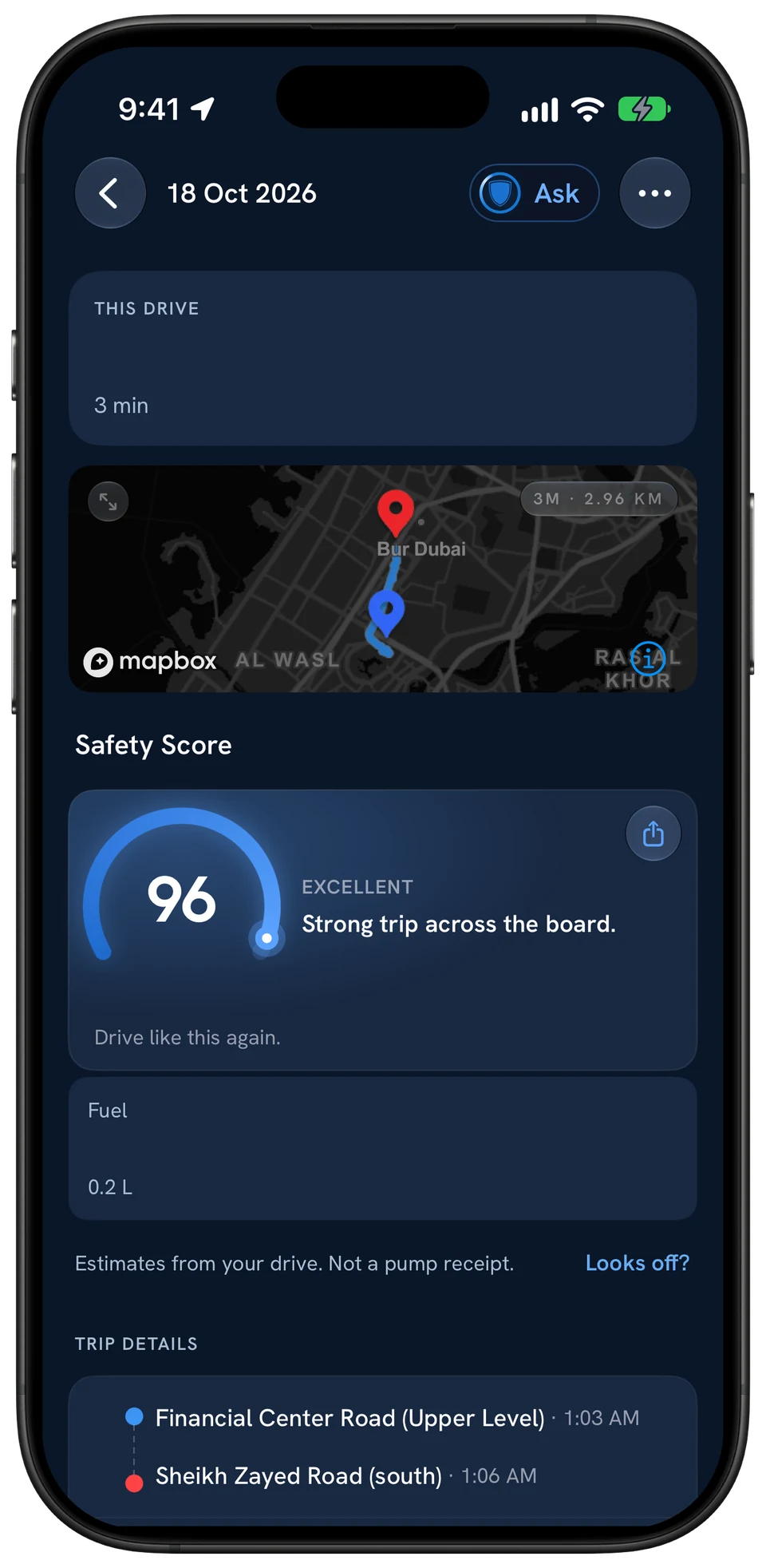
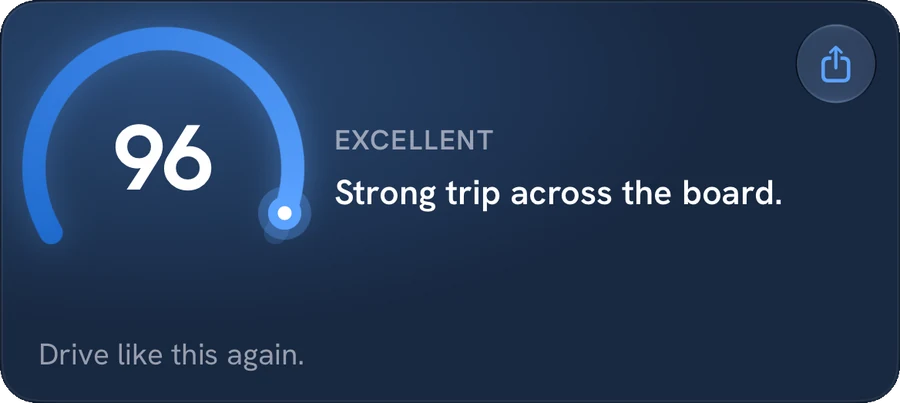
One number out of 100 after every drive, five factors behind it and a plain verdict. So you know what to do differently next time.
Free on iPhone and Android. No hardware.
Braking
96 /100
Smooth, early stops

Five factors
Five habits. One number.
The trip score is a weighted blend of them, so you see which habit cost you points. Pick one.
Weighs the most
Braking
Smooth, early braking scores well. Sharp stops pull the number down.
Each hard brake is marked on the trip with its time and speed, and counted per 100 km driven.
Counted per 100 km, not per trip
School run · 5 km
60
per 100 km · 3 hard brakes
Abu Dhabi · 140 km
2
per 100 km · 3 hard brakes

The breakdown
Every point, accounted for.
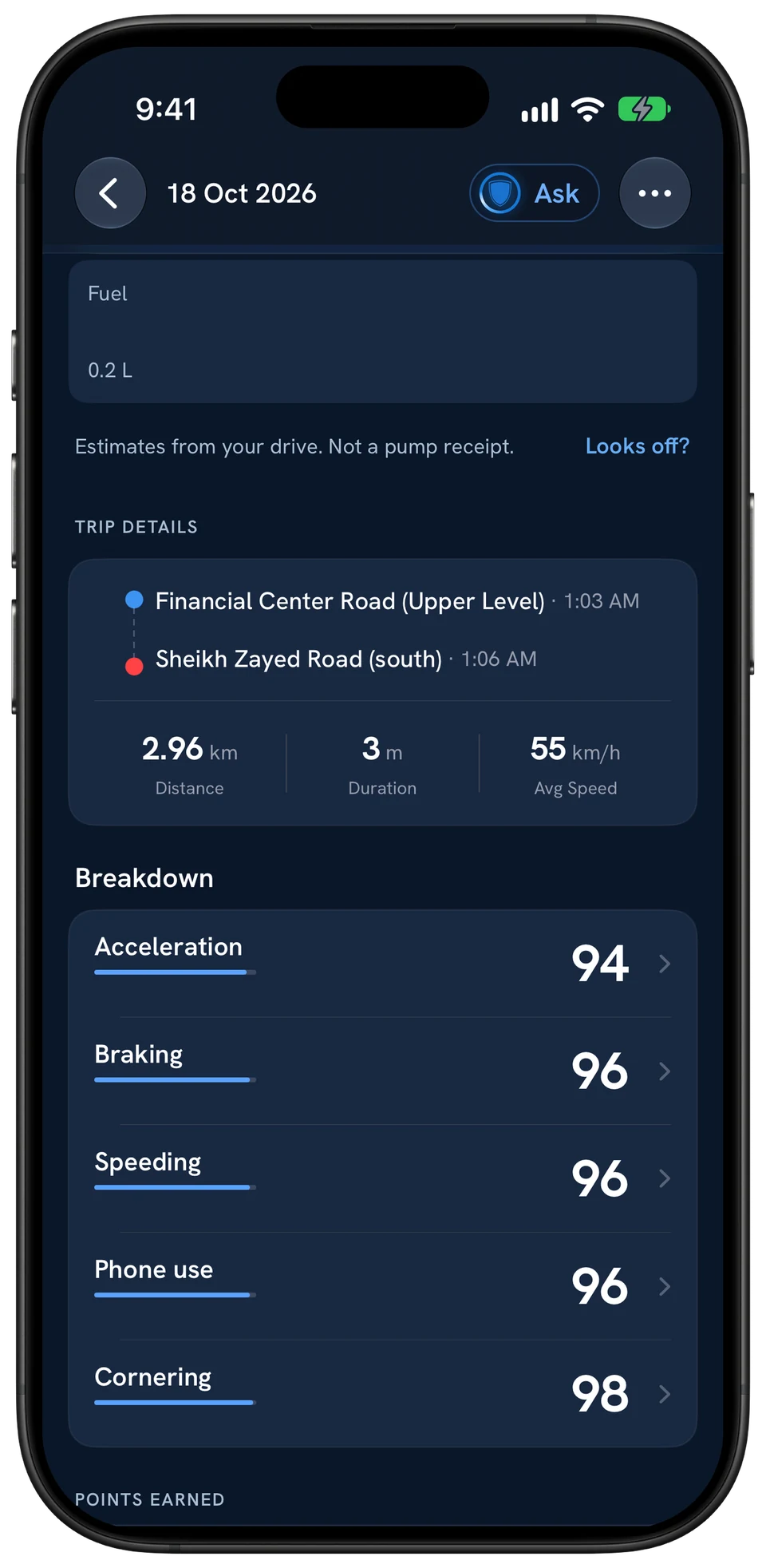
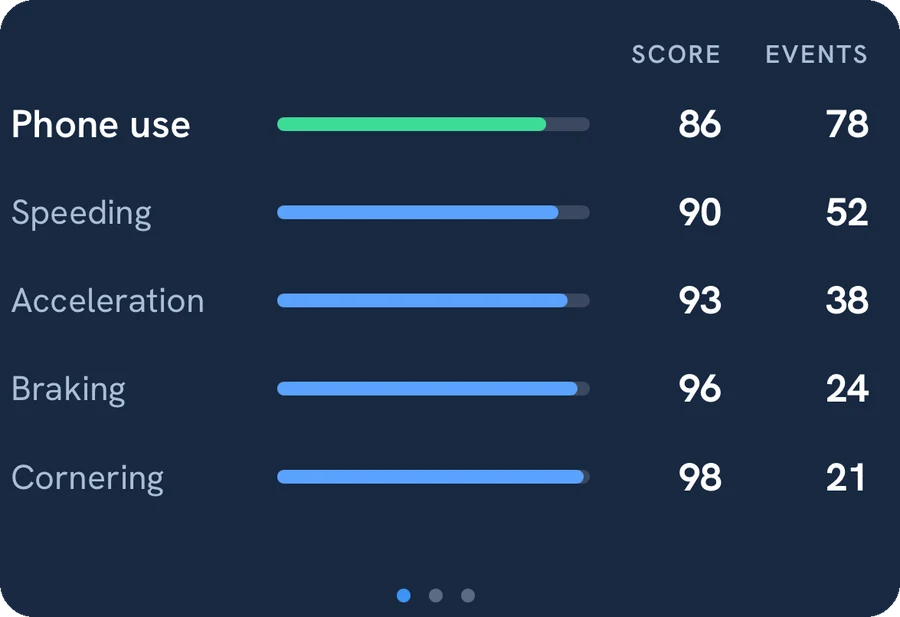
Tap a factor to see the hard brakes, launches, sharp turns or stretches over the limit behind it, with the time and your speed.
- Per 100 km
- Events count per distance, so a long drive is not marked down for being long.
- 500 m
- Trips under 500 metres or a minute are not scored at all.
- Plain names
- Hard brake, sharp turn, over the limit. Nothing to decode.

After every drive
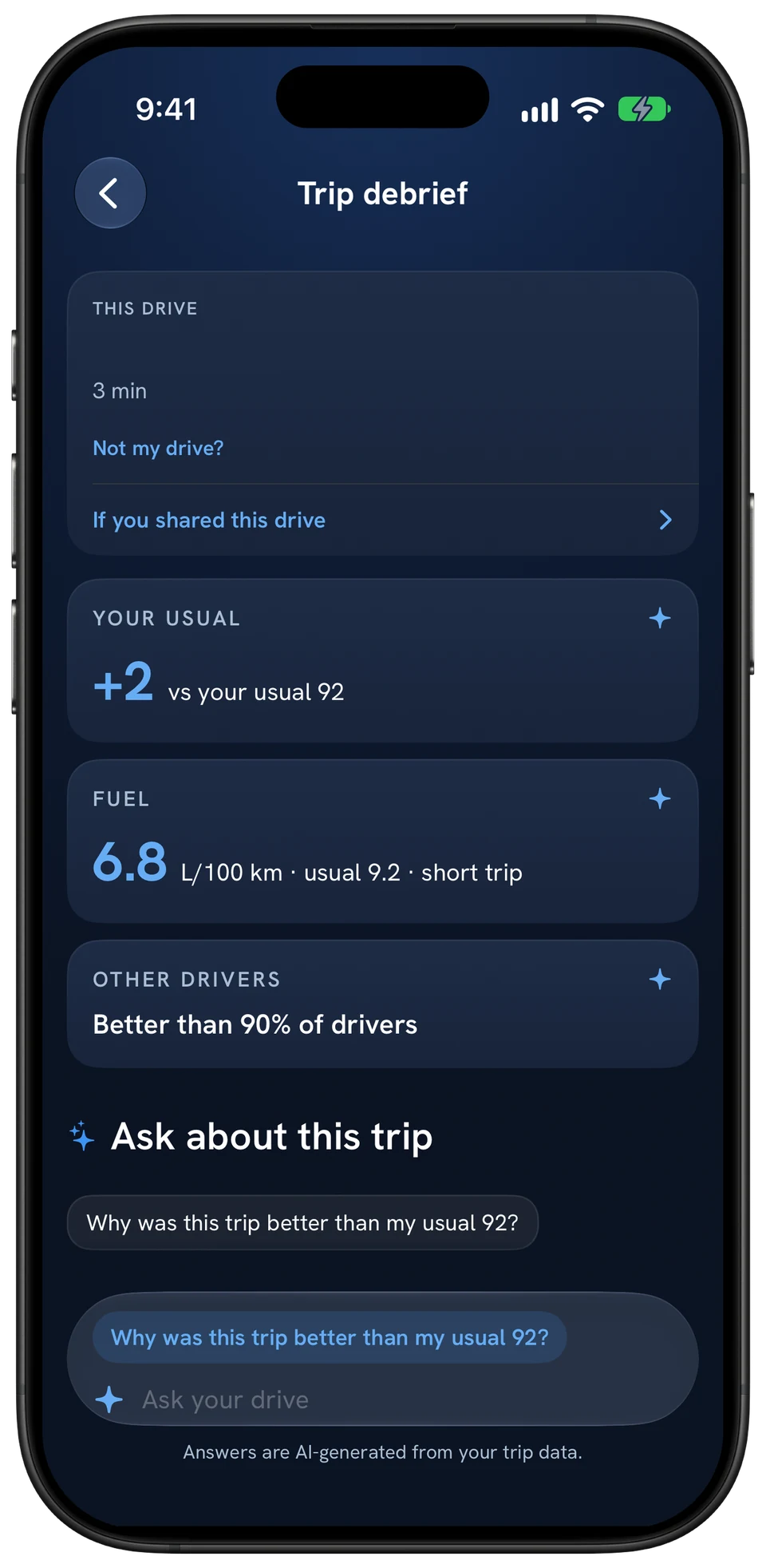
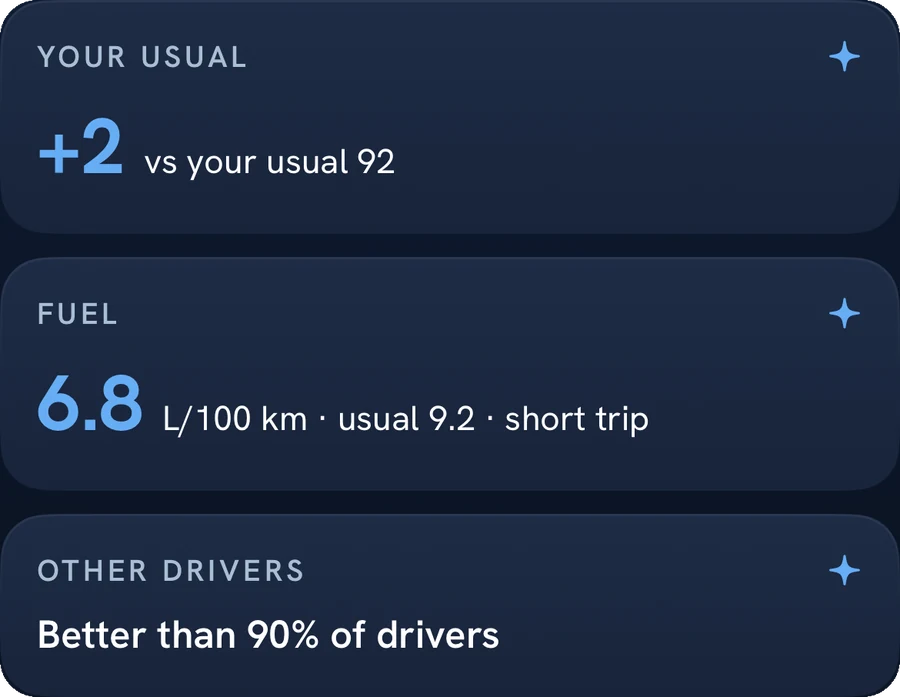
Better than your usual?
When you park, the debrief puts the drive next to your own average and other drivers. Then ask Co-Driver why: every number comes from your own drive.

Coming soonCo-Driver coaching while you drive

Fuel
Burn fewer litres.
Speeding, hard launches and hard braking are the habits your score tracks, and the ones that waste fuel.
10–40%
How much aggressive driving can lower fuel economy in stop-and-go traffic, and roughly 15–30% at highway speeds, according to the US Department of Energy.
Every trip
Litres used
Each drive shows its estimated fuel, so a thirsty one stands out.
Your score
The habit to fix
Hard launches, late braking and speeding waste fuel too.
Before you go
Cheapest route
Side by side with Safest and Fastest.
Litres estimate
How many litres could you save?
Est., from your distance and your car's fuel use.
You keep
15 L/mo
Over a year
180 L
Fuel now: 150 L a month
An estimate, not a promise: what you save depends on your car, your roads and how you drive today. The 10–20% options sit inside the US Department of Energy ranges. Latest UAE fuel prices
The method
How is the Guardian AI driving score calculated?
From your phone's GPS and motion sensors, scored when the trip ends. The full rules, in plain words.
01
What the phone records
Every trip you drive with Guardian AI ends with a driving score out of 100. Your phone records the trip as you drive: GPS position and speed, plus the phone's own motion sensors. When the trip ends, that data is scored on Guardian AI's servers and the result is sent back to the app, next to the fuel the drive used in litres. There is no dongle, box or dashcam involved.
02
The five factors you see
The trip screen breaks the score into five factors: Braking, Acceleration, Cornering, Speeding and Phone use. Each factor gets its own score, and the trip score is a weighted blend of them. Braking carries the most weight, followed by speeding and phone use, then cornering and acceleration. A small part of the blend also accounts for the risk of driving into low sun glare; it is not shown as a factor of its own.
03
Braking, acceleration and cornering
The app looks for moments when the car slows down, speeds up or turns harder than normal driving needs, and marks them on the trip as a hard brake, a hard acceleration or a sharp turn. These events are not simply added up. They are counted per 100 km driven, so a long drive to Abu Dhabi is not marked down just for being long, and a short school run with three sharp stops is not let off for being short. The fewer events per 100 km, the closer that factor stays to 100. The event names are plain on purpose, so you can match them to moments you remember from the drive, such as a late stop at a junction or a hurried merge onto a highway.
04
Speeding
Speeding compares your speed with the speed limit of the road you are on. Driving 10 km/h over the limit counts; 20 km/h over counts twice as much; 30 km/h or more over counts five times as much. The same overspeed also weighs more on slower roads: 20 km/h over the limit on a 40 km/h residential street counts for more than 20 km/h over on a 120 km/h highway. Like the other events, speeding is measured per 100 km. Speeding stretches show up on the trip, alongside the score.
05
Phone use
Phone use measures how long the phone was handled while the car was moving, as seconds of handling per hour of driving. A second or two barely moves this factor. The more handling there is, the faster it drops, and about a minute of handling for every hour of driving takes it to zero. Setting your route before you pull away and keeping the phone in a mount is the simplest way to keep it high.
06
Short trips
Trips shorter than 500 metres or under a minute are not scored. On short trips a single hard brake would otherwise swing the result wildly, so for the first few kilometres each factor is pulled towards a typical value, and it moves fully to your own result as the distance grows. Trips of 3 km or more with very few events get a small bonus for clean driving. The final trip score is kept between 20 and 100.
07
What the score is for
The score describes how one trip was driven. It is not a rating of your car, your route or the traffic around you. Because each factor is shown separately, you can see which habit cost you points on a given drive, whether that was a few hard stops in traffic or a stretch over the limit, and try something different next time. Your trips and scores are yours: they are only shared with the family members you choose.
Questions
Asked and answered.
When do I see my driving score?
After every drive. Trips start on their own, and when you park the trip shows your score alongside the fuel it used, in litres.
What does the score reflect?
Five factors, each shown in the app: Braking, Acceleration, Cornering, Speeding and Phone use. Each gets its own score, and the trip score out of 100 is a weighted blend of them.
Do I need any hardware?
No. Guardian AI works from your phone. It is free on iPhone and Android.
Who can see my score?
You. If you choose to share trip reports with family, the people you pick can see them too.
Never drive alone
One drive. One score.
Download free and see your first score when you park.
Download Guardian AI